
Pitching Counter / Stats Track1.2.5 - Google Play
You'll be able to see results in few seconds.
Publisher Description
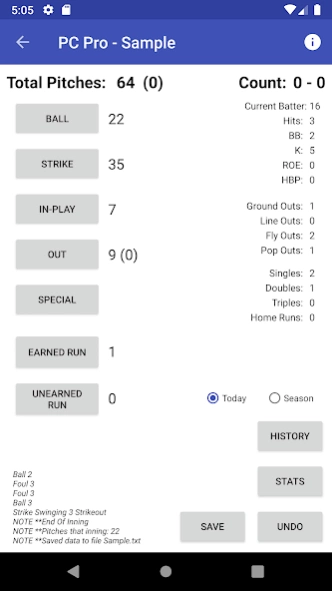
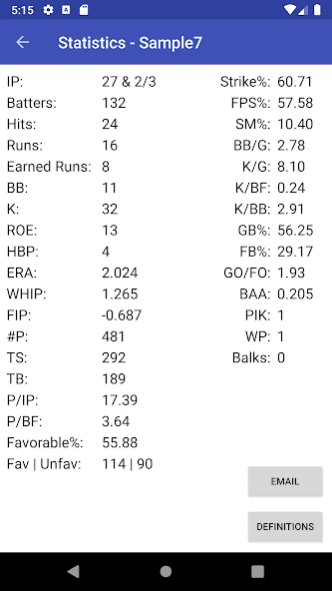
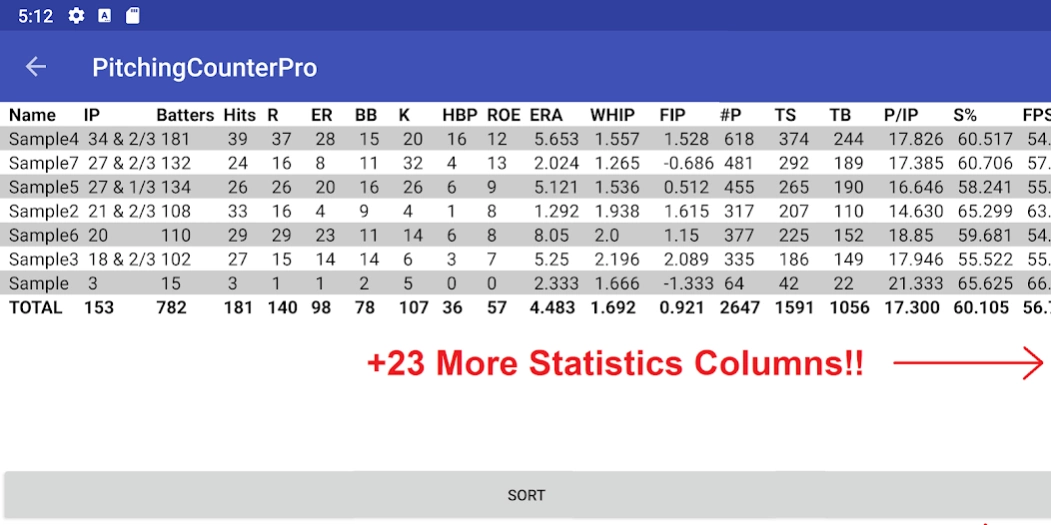
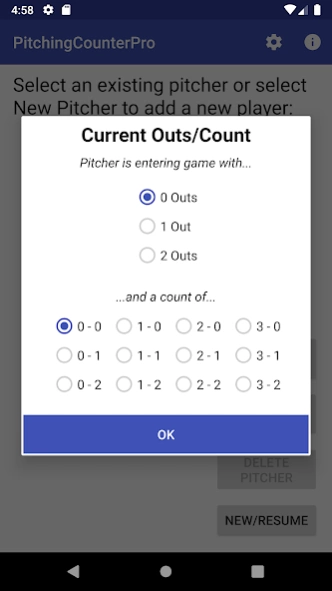
This pro app will track every pitch of a baseball game and provide statistics.
This Pitching Counter application will allow you to track every pitch of a baseball (or softball) game by each pitcher. The intention is to track the performance of a pitcher over a game, or a season. 47 different pitching statistics are calculated using the tracked data.
Batters are calculated based on pitch outcomes. Innings are based upon outs.
The Pro version contains everything the free version has plus: several more statistics, better sorting, better graphics, export comparison data through email, import/export pitcher files, more detailed transition to new pitchers mid-game, and several other features!
NOTE: If you used the Pitching Counter app and are planing on using the Pro version, do NOT uninstall just yet! Rather, update to the latest release, then export all your data. Then in the Pro version, import that same data into the Pro app.
Many apps out there track only what you put in. This app will track much more to give you better insight into how your pitchers are doing. 4 balls to the same batter results in a walk. 3 strikes to the same batter results in a strikeout (assuming the 3rd wasn't a foul ball). This app will track all that and much much more!
This app can be used for softball!
All pitches, special plays, and entered runs are tracked and available in the history.
Pitches, and outs for the current inning, and for the entire game, are visible on the main screen. Current inning numbers are displayed in parentheses. The count for the current batter is displayed on the main screen.
Email can be sent at the end of each inning with a summary of that innings pitches, outs/run plays, and that days statistics.
47 different pitching statistics are generated using the tracked data:
IP
Outs
Batters
Hits (H)
Runs (R)
Earned Runs (ER)
Walks (BB)
Strikeouts (K)
Hit By Pitch (HBP)
Reached On Error (ROE)
Earned Runs Average(ERA)
Walks And Hits Per Inning Pitched (WHIP)
Field Independent Pitching (FIP)
Number of Pitches (#P)
Total Strikes (TS)
Total Balls (TB)
Pitches Per Inning Pitched (P/IP)
Strike Percentage (S%)
First Pitch Strike Percentage (FPS%)
Swing and Miss Percentage (SM%)
Walks Per Game (BB/G)
Strikeouts Per Game (K/G)
Strikeouts Per Batter Faced (K/BF)
Strikeouts Per Walk (K/BB)
Ground Ball Percentage (GB%)
Fly Ball Percentage (FB%)
Batting Average Against (BAA)
Pick Offs (PIK)
Wild Pitches (WP)
Balks
Favorability Percentage (Fav%)
Favorable Pitches (Fav)
Unfavorable Pitches (Unfav)
Zero Walk Innings (0BBInn)
1-2-3 Innings (123Inn)
First Two Out Innings (1st2out)
Innings w/ <= 13 Pitches (<13)
Lead Off Walks (LOBB)
Balls In Play(In-Play)
Outs
Ground Outs (GO)
Line Outs (LO)
Fly Outs (FO)
Pop Outs (PO)
Singles (1B)
Doubles (2B)
Triples (3B)
Home Runs (HR)
In Settings, you can select # of innings per game. Some stats are dependent upon how many innings are in a game. For younger players, fewer innings are played.
App will allow you to compare all of your pitchers, and you can sort all stats fields that are displayed.
Please email if you have any questions on how to use the app! (see Settings / Suggestions or Issues)
About Pitching Counter / Stats Track
The company that develops Pitching Counter / Stats Track is Supco Software Solutions LLC. The latest version released by its developer is 1.2.5.
To install Pitching Counter / Stats Track on your Android device, just click the green Continue To App button above to start the installation process. The app is listed on our website since 2022-06-11 and was downloaded 0 times. We have already checked if the download link is safe, however for your own protection we recommend that you scan the downloaded app with your antivirus. Your antivirus may detect the Pitching Counter / Stats Track as malware as malware if the download link to com.supcosoftware.pitchingcounterpro is broken.
How to install Pitching Counter / Stats Track on your Android device:
- Click on the Continue To App button on our website. This will redirect you to Google Play.
- Once the Pitching Counter / Stats Track is shown in the Google Play listing of your Android device, you can start its download and installation. Tap on the Install button located below the search bar and to the right of the app icon.
- A pop-up window with the permissions required by Pitching Counter / Stats Track will be shown. Click on Accept to continue the process.
- Pitching Counter / Stats Track will be downloaded onto your device, displaying a progress. Once the download completes, the installation will start and you'll get a notification after the installation is finished.
Program Details
System requirements
Download information
Pricing
Version History
version 1.2.5
posted on 2022-06-11
Fixed innings per game setting. This will affect some stats such as ERA.
version 1.2.3
posted on 2020-01-21
Fixed
version 1.1.0
posted on 2019-04-21
Fixed calculation for Batters Faced
Disclaimer
Official Google Play Link
We do not host Pitching Counter / Stats Track on our servers. We did not scan it for viruses, adware, spyware or other type of malware. This app is hosted by Google and passed their terms and conditions to be listed there. We recommend caution when installing it.
The Google Play link for Pitching Counter / Stats Track is provided to you by apps112.com without any warranties, representations or guarantees of any kind, so access it at your own risk.
If you have questions regarding this particular app contact the publisher directly. For questions about the functionalities of apps112.com contact us.
